


Muviz Edge: AOD & Edge Lights
4.51.66K Reviews
App Specs
- Version
- 2.1.4.0
- Updated On
- License
- Free
- Downloads
- 10,000,000+
- Developer
- Sparkine Labs
- Categories
- Personalization
- Platform
- Android
Screenshots
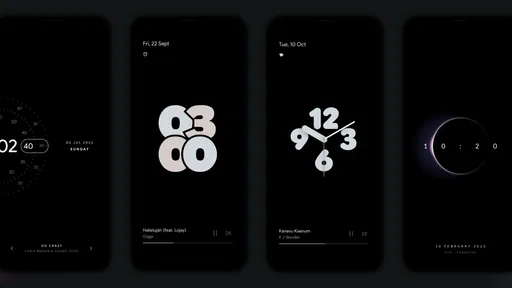
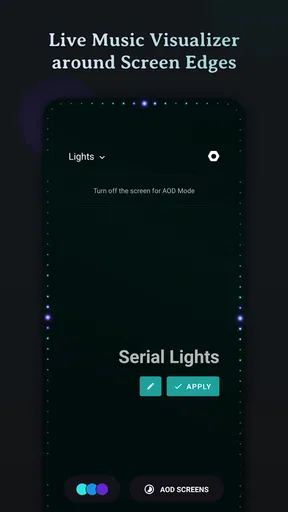
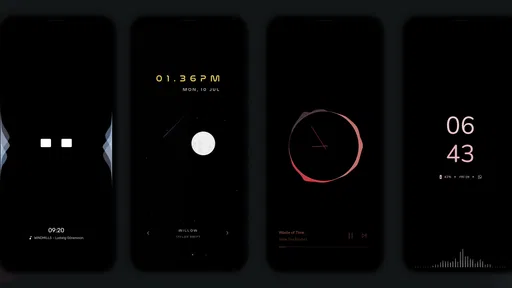
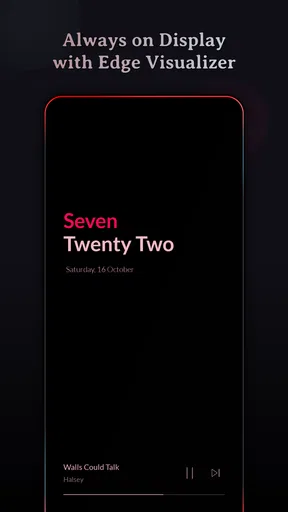
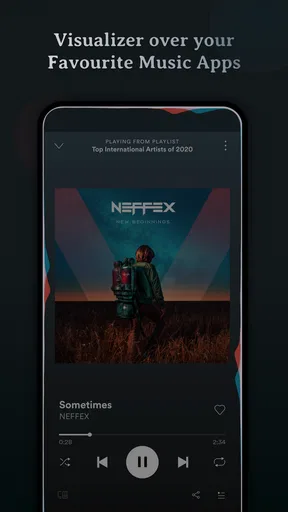
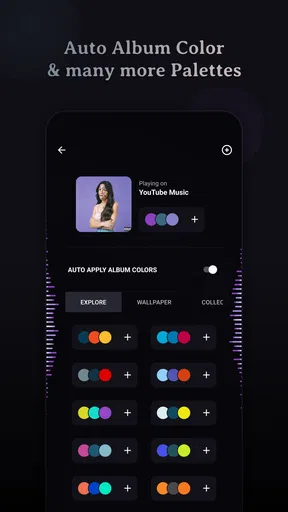
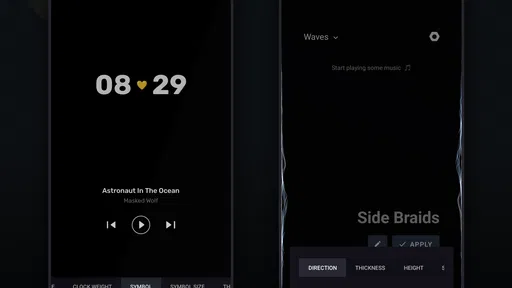
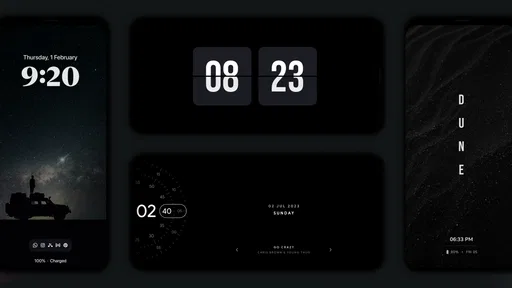
 Analysis by AppCompare
I like a phone that feels personal, but I also want its screen effects to earn their place in my daily routine. Muviz Edge: AOD & Edge Lights is a personalization app from Sparkine Labs that brings edge lighting and an always-on display into the same experience. The appeal is easy to understand: a quick glance can feel more distinctive than the usual lock screen, and visual alerts can make a phone on a desk easier to notice. The trade-off is that effects need to suit both your habits and your device, so a little setup matters.
Where setup can feel less simple than it looks
At first, the idea seems straightforward: choose a look, enable the display treatment you want, and let the phone show it. In practice, the first thing I would check is whether the effect is visible in the situations where I actually expect to use it. A style that looks striking while I am adjusting it may be too bright at night, hard to see in a bright room, or simply distracting when the phone is face up beside me.
I would start with one effect and one ordinary use case rather than changing several options at once. For example, test a notification while the phone is resting on a table, then try the same setup in a dim room. That makes it much easier to tell whether the edge treatment is useful or just decorative. If you change colors, display behavior, and notification choices together, it becomes harder to identify which adjustment made the experience better.
There is also a practical distinction between wanting an always-on view and wanting edge lighting. They solve different small problems: one makes basic information available at a glance, while the other adds a visual cue around the screen. You may enjoy one without wanting the other active all the time. I would treat them as separate parts of a setup, not as a package that has to be used at maximum intensity.
Checks that make a first setup more dependable
Before blaming the app for an effect that does not appear, I would check the phone’s own display and notification behavior. AOD and notification handling can depend on device settings, so it is sensible to make sure the phone itself is allowed to show the information or alert you expect. Then test with a simple, easy-to-recognize notification rather than waiting for an important message to arrive.
Keep the first test deliberately plain: pick a restrained color, use one visual style, and check the screen while the phone is idle. If that works, add more personalization gradually. This is not just a tidy way to configure the app; it is a useful troubleshooting method. When something changes unexpectedly, you will know which setting you changed most recently and can undo that step instead of starting from scratch.
For a phone used in a shared room or at work, I would also think about visibility before choosing a dramatic effect. A colorful alert may be fun at home but draw attention during a quiet meeting. A subdued look can still give you a visual cue without making every incoming alert the center of the room. That balance is more valuable than finding the most elaborate pattern.
Worth Reading Before You Choose

EA SPORTS FC Mobile 26 Is a Bigger Football Game, but It Takes Time

Flipboard Shows What News Apps Must Do Beyond the Feed

Switching to Android Auto Means Rethinking Your Driving Routine

Google Calendar Makes a Crowded Week Easier to Manage

Ludo King Makes the Most of the Minutes Between Plans

Baby Panda World Brings Quick Play to Modern Phones, but Its Game Library Feels Busy
Recovering a workflow when an effect stops showing
If an effect seems inconsistent, I would first separate a one-time miss from a persistent setup problem. Check whether the phone is awake or idle in the way you expect, whether the relevant notification actually arrived, and whether the chosen display option is still enabled. Then make one small change and test again. Repeating the same test gives you a clearer answer than changing several settings in frustration.
If the app behaves differently after you have changed the phone’s own display or notification settings, revisit the simple setup checks before assuming the app has failed. A phone’s system controls and a personalization app can affect the same visible moment from different sides. Keeping a note of the effect and color you prefer can also save time if you need to rebuild your setup later.
When you are deciding whether the result is worth keeping, try it through a normal day rather than judging only the setup screen. Notice whether the glow helps you spot a message when the phone is across the desk, whether the always-on view is useful when you glance at it, and whether either becomes distracting after repeated use. That small real-world trial is a better measure than a dramatic preview.
When the app may not be the cause
A missing or quiet-looking effect does not automatically mean the app is at fault. The phone might not be showing the notification you expected, the room may make a subtle color difficult to see, or the current display state may not match the way you are testing it. I would check those basics before repeatedly reinstalling or changing every option.
Battery behavior is another reason to be measured. The original appeal of an always-on screen is convenience, but keeping extra visual activity on a phone can be a poor fit for someone who is already trying to minimize screen use or conserve power. Rather than assuming every setup will have the same impact, I would compare your own battery routine with the effects enabled and decide whether the glanceable information is worth it for you.
Likewise, edge lighting cannot replace a clear notification habit. If you rely on a particular alert, keep the phone’s regular notification settings and sound or vibration preferences in mind. This app is best treated as a visual layer, not as a guarantee that every message will be noticed in every environment.
Who will get the most from it
I think this app suits people who enjoy tuning their phone’s appearance and like having a visual cue when the device is sitting nearby. It is especially appealing if you often leave your phone on a desk and want a quick glance to feel more informative or more personal. Someone who prefers a simple, unchanged lock screen may find the added effects unnecessary, and anyone who dislikes extra screen activity should consider whether an AOD is worth having in their routine.
Compared with relying only on a phone’s built-in display options, the attraction here is the chance to make the presentation feel more individual and to combine an always-on view with edge effects. The built-in route is usually the better choice if you want the fewest settings to manage or prefer to keep personalization close to the phone’s standard behavior. Muviz Edge makes more sense when visual style is part of the point, not just a way to see the time.
The app is free to start, with optional in-app purchases priced from $0.99 to $4.99 per item. It is rated for Everyone, has an average rating of 4.7 from around 151,000 ratings, and has been installed over 10 million times. Those figures suggest it has found a broad audience, but they do not tell you whether its look or behavior will suit your particular phone. I would judge it by a simple test: does the visual cue help often enough to justify the extra activity?
First Impressions and Ease of Use
When I first downloaded Muviz Edge: AOD & Edge Lights, I was immediately struck by how easy it was to dive right in. The user interface is sleek and intuitive. Even if you’re not tech-savvy, you'll have no trouble navigating through the options. The app guides you gently through initial setup, and before you know it, your phone's edges are glowing like they’ve never glowed before.
Customization Galore
One of the standout features of this app is the sheer amount of customization it offers. You can choose from a variety of edge lighting effects and colors that dance around your screen. Whether you want a subtle glow or a full-on light show, there’s something here for everyone. I personally love how you can tweak the settings to match your mood or even your outfit. It’s like having a little piece of the aurora borealis in your pocket.
The app also allows you to set different lighting effects for different notifications. So, when you get a message from your best friend, your phone might light up with a playful rainbow, while a work email might trigger a more professional blue. It’s a fun way to keep things organized and adds a personal touch to your device.
Always-On Display (AOD)
The Always-On Display feature is another highlight. It’s not just about aesthetics; it’s practical too. With AOD, you can glance at your phone for essential information like time, date, or battery status without having to unlock it. Plus, the edge lighting works seamlessly with AOD, making notifications pop even when your phone is resting on the table.
I’ve found this particularly useful during meetings or when I’m out and about, as I can stay updated without reaching for my phone every few minutes. It’s like having a built-in, customizable notification bar that you can see from afar.
Performance and Battery Impact
Now, you might be wondering if all this razzle-dazzle takes a toll on your battery. Initially, I had the same concern. But after using the app extensively, I can confidently say that it’s quite efficient. The developers have done a great job of optimizing the app so it doesn’t drain your battery like a thirsty camel. Of course, more intensive settings might cause a bit more battery usage, but moderate settings keep everything in check.
Performance-wise, the app runs smoothly without any noticeable lag. Even with multiple apps running in the background, the edge lighting remains fluid and responsive. It’s clear that a lot of thought and effort has gone into making sure the app runs seamlessly.
Compatibility and Support
Another thing to love about this app is its broad compatibility. Whether you’re rocking the latest flagship or an older model, Muviz Edge: AOD & Edge Lights is designed to work on a wide range of devices. Plus, the developers regularly update the app, squashing bugs and adding new features to keep things fresh.
If you run into any issues, the support team is responsive and helpful. I had a minor hiccup with some settings, and their team was quick to provide a solution. It’s nice to know you’re not left hanging if something goes awry.
Final Thoughts
All in all, Muviz Edge: AOD & Edge Lights is a fantastic app for anyone looking to add some flair to their phone. It’s not just about aesthetics; it’s a functional tool that enhances your device's usability. Whether you’re a customization junkie or just someone who appreciates a bit of visual pizzazz, this app is sure to impress.
So, if you’re ready to take your phone’s look to the next level, give it a shot. You might just find yourself wondering how you ever lived without a little edge in your life.
Pros
- Vibrant edge lighting effects.
- Customizable AOD themes.
- Battery-friendly settings.
- Works with music apps.
- Seamless app integration.
Cons
- Limited free features.
- Occasional app crashes.
- Ads in free version.
- May drain older phones.
- Requires Android 8.0+.
FAQs for Muviz Edge: AOD & Edge Lights
What features does Muviz Edge: AOD & Edge Lights offer?
Muviz Edge provides a unique way to enhance your phone's edge lighting with customizable visual effects. Its features include Always-On Display (AOD), edge lighting notifications, and music visualizations. Users can personalize colors, patterns, and animations to suit their preferences. The app supports major music apps and is compatible with most Android devices.
Does Muviz Edge impact battery life significantly?
While Muviz Edge is designed to be efficient, any app using visual effects like AOD and edge lighting can impact battery life. However, the app includes settings to optimize energy consumption, such as adjusting brightness and limiting active hours. Users can tweak these settings to balance performance and battery usage.
Is Muviz Edge compatible with all Android devices?
Muviz Edge is compatible with most Android devices running Android 5.0 and above. However, since it relies on specific hardware capabilities for edge lighting and AOD, some features might not be available on all devices. It’s advisable to check the Play Store description for detailed compatibility information.
Can I use Muviz Edge with any music app?
Yes, Muviz Edge is designed to work with a wide range of music apps. It supports popular ones like Spotify, Apple Music, and local music players. The app detects music playing in the background and synchronizes the edge lighting effects accordingly, providing a seamless visual experience.
Are there in-app purchases or ads in Muviz Edge?
Muviz Edge is free to download, but it includes in-app purchases for unlocking premium features, such as additional lighting effects and customization options. The free version contains ads, but purchasing the premium version removes them, providing an uninterrupted user experience.


